
Send. Sign. Closed.
Pick a template, personalize it, and send. Your client signs from any device — legally binding, audit-trailed, stored forever.
- eIDAS
- compliant
- 90s
- to send
- 100%
- audit-trail
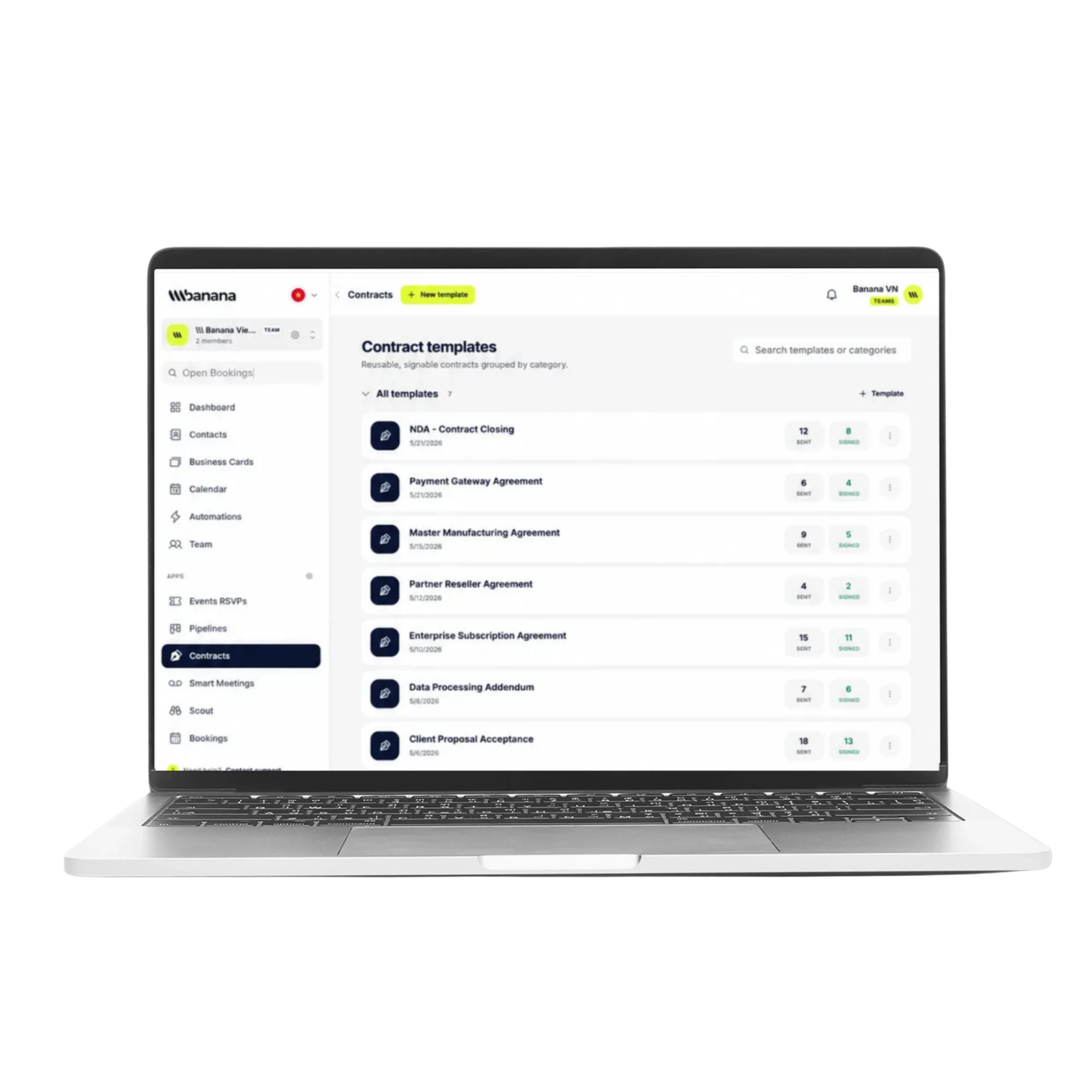
Ready-made templates
Battle-tested templates for sales, freelance, real estate and more.
e-Sign anywhere
Type, draw or upload a signature — on desktop or mobile.
Audit-trailed & secure
Tamper-proof PDF, full audit log, GDPR & eIDAS compliant.
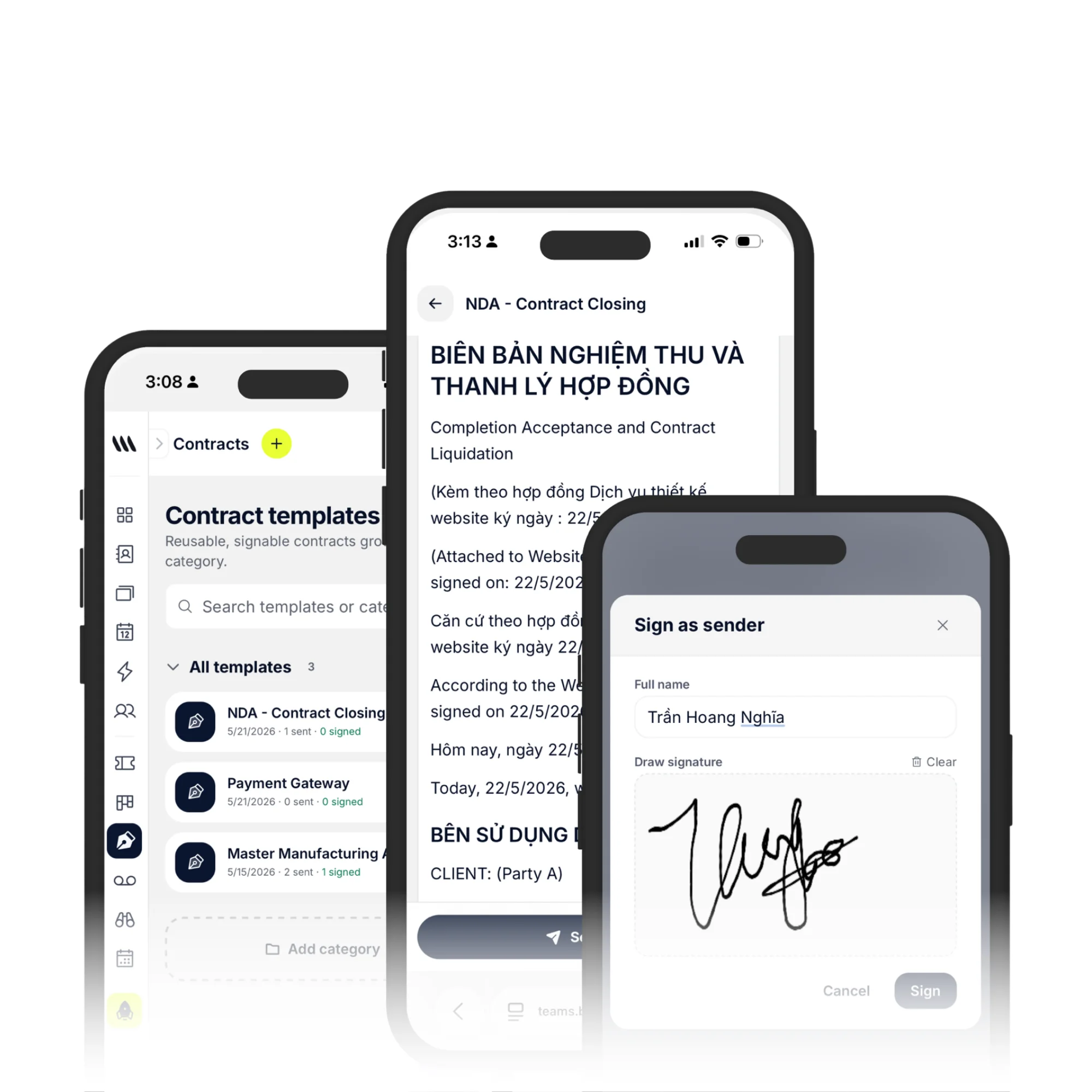
Templates
From draft to signed, in 90 seconds.
Pick a template, drop in client data from your CRM, and send. We auto-fill names, prices and dates so you never duplicate work.
- 50+ pre-built templates
- Variables auto-filled from CRM
- Conditional clauses and fields
- Custom branding per template
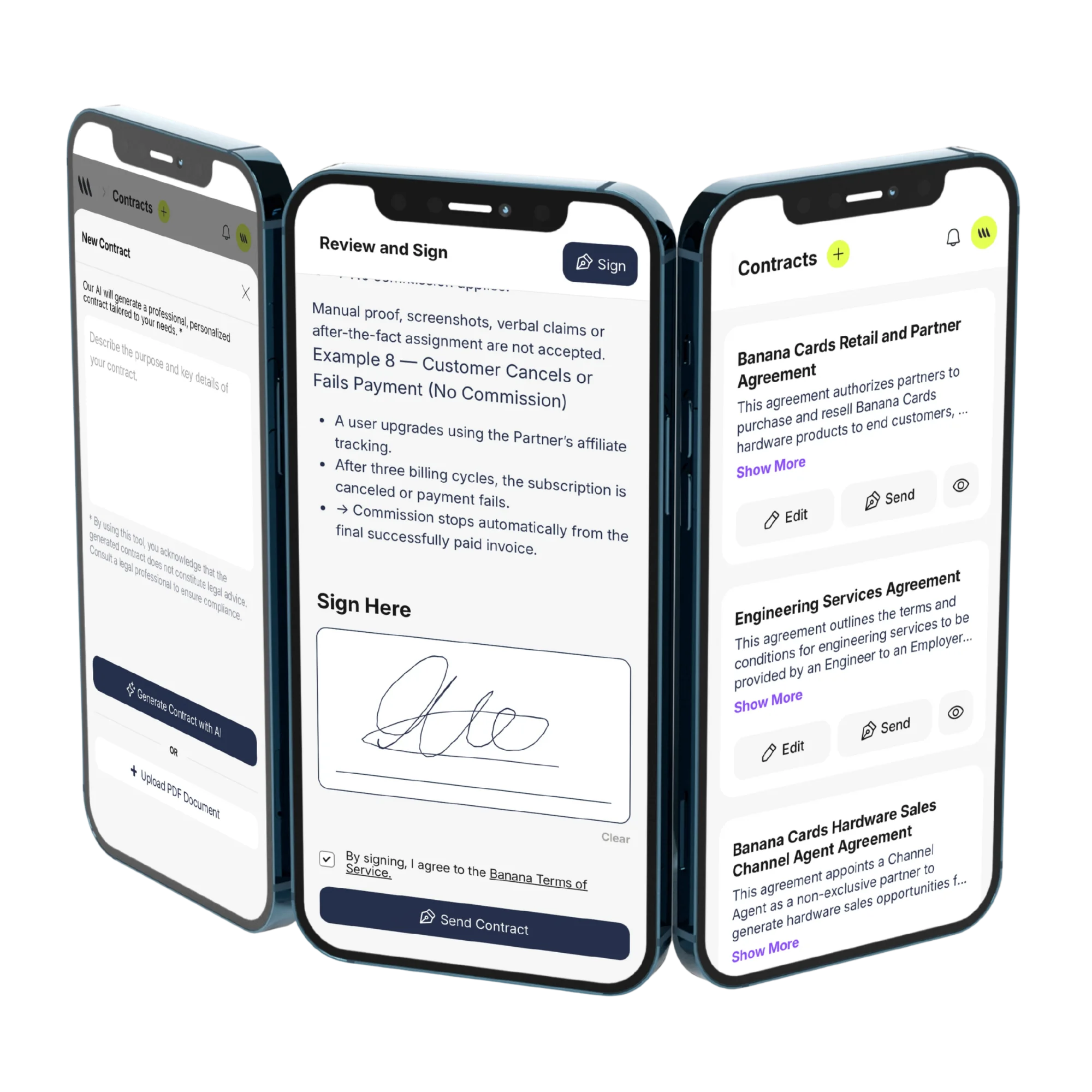
Signing
Frictionless for the other side.
Recipients sign on any device — no account, no app. Status updates push back to your CRM in real time.
- No login required for signers
- Mobile-optimized signing
- Sequential & parallel signers
- Webhook events for every step
How it works
Live in minutes, not months.
- Step 1
Pick a template
Or upload your own PDF.
- Step 2
Fill from CRM
Variables pre-fill from contacts.
- Step 3
Send for signature
Email, link or SMS.
- Step 4
Get notified
Audit-trailed PDF lands in your vault.
Capabilities
Built to go the distance.
Every plan ships with the essentials. Upgrade only for team-scale, advanced security, and AI usage at volume.
Compare plans- Drag-and-drop signature fields
- Sequential signers & approvals
- Custom branding & colors
- Built-in payments on signing
- Auto-reminders & expiration
- Searchable contract vault
- Webhook & Zapier integrations
- Legally binding worldwide
FAQ
Questions, answered.
Are Banana e-signatures legally binding?
Yes. Signatures are compliant with the US ESIGN Act, UETA and EU eIDAS regulation, which makes them admissible in court in virtually every major jurisdiction. Each signed document includes a tamper-evident audit trail with signer name, email, IP address, device and a UTC timestamp for every action — opened, viewed, signed and completed.
What kinds of contracts can I send?
Anything you'd normally send as a PDF: proposals and quotes, NDAs and MNDAs, MSAs and SOWs, freelance and consulting agreements, retainers, sales orders, employment offers, partnership and reseller agreements, waivers and consent forms. Build it once as a reusable template and re-send it per client in seconds.
How do template variables and placeholders work?
Drop placeholders like {{client_name}}, {{company}}, {{amount}} or {{start_date}} into your template. When you send the document, Banana asks you to fill them in (or pulls them from a linked CRM contact) and burns the values into the final PDF — so every contract is personalized without you rewriting it each time.
Can recipients sign on mobile and without an account?
Yes. Signers get a unique signing link by email, open it in any browser on phone, tablet or desktop, draw or type their signature, and download the signed PDF — no Banana account, no app install required.
Where are signed contracts stored and can I track status?
Every document lives in your contract vault, encrypted at rest and grouped by template and category. The dashboard shows real-time status — Sent, Viewed, Partially signed, Completed or Declined — with automatic reminders for unsigned documents, so nothing stalls in someone's inbox.
Can I organize templates by team or category?
Yes — create categories (e.g. Sales, Client Onboarding, HR, Partnerships), drag templates between them, and Banana keeps signed-doc counts per template so you can see what's actually getting used.
Win the deal. Get it signed.
Send your first contract free with Banana — no credit card needed.