
A first impression that follows up itself.
The moment someone exchanges contact details with you, Banana sends a custom welcome email — beautifully designed, personalized, and from your address.
- Instant
- delivery
- Custom
- branding
- 100%
- deliverable
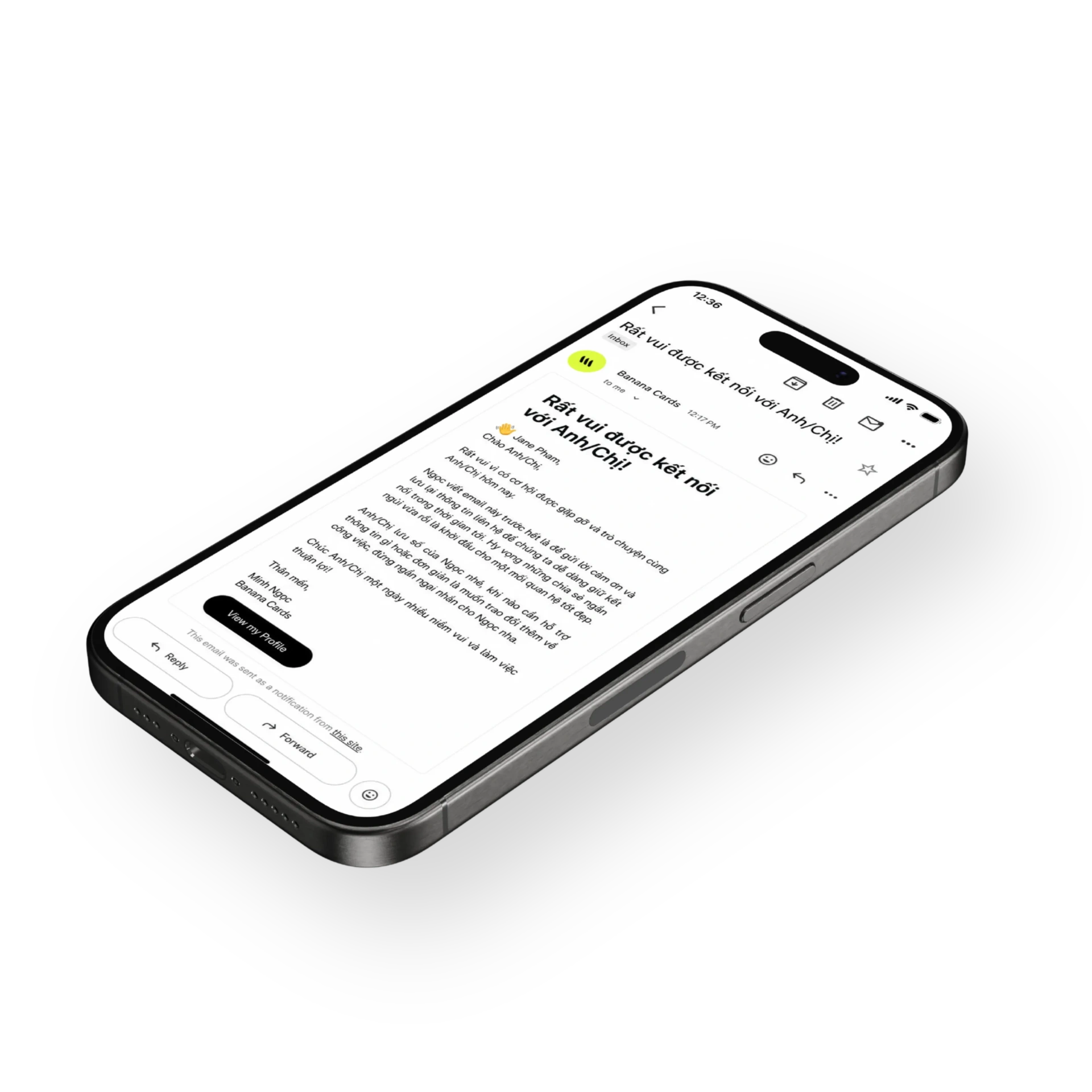
Custom message
Write once — Banana personalizes it with the recipient's name on every send.
From your domain
Sent from your address with proper SPF/DKIM so it lands in the inbox, not spam.
Fires automatically
Triggered the second the exchange form is submitted — no manual follow-up needed.
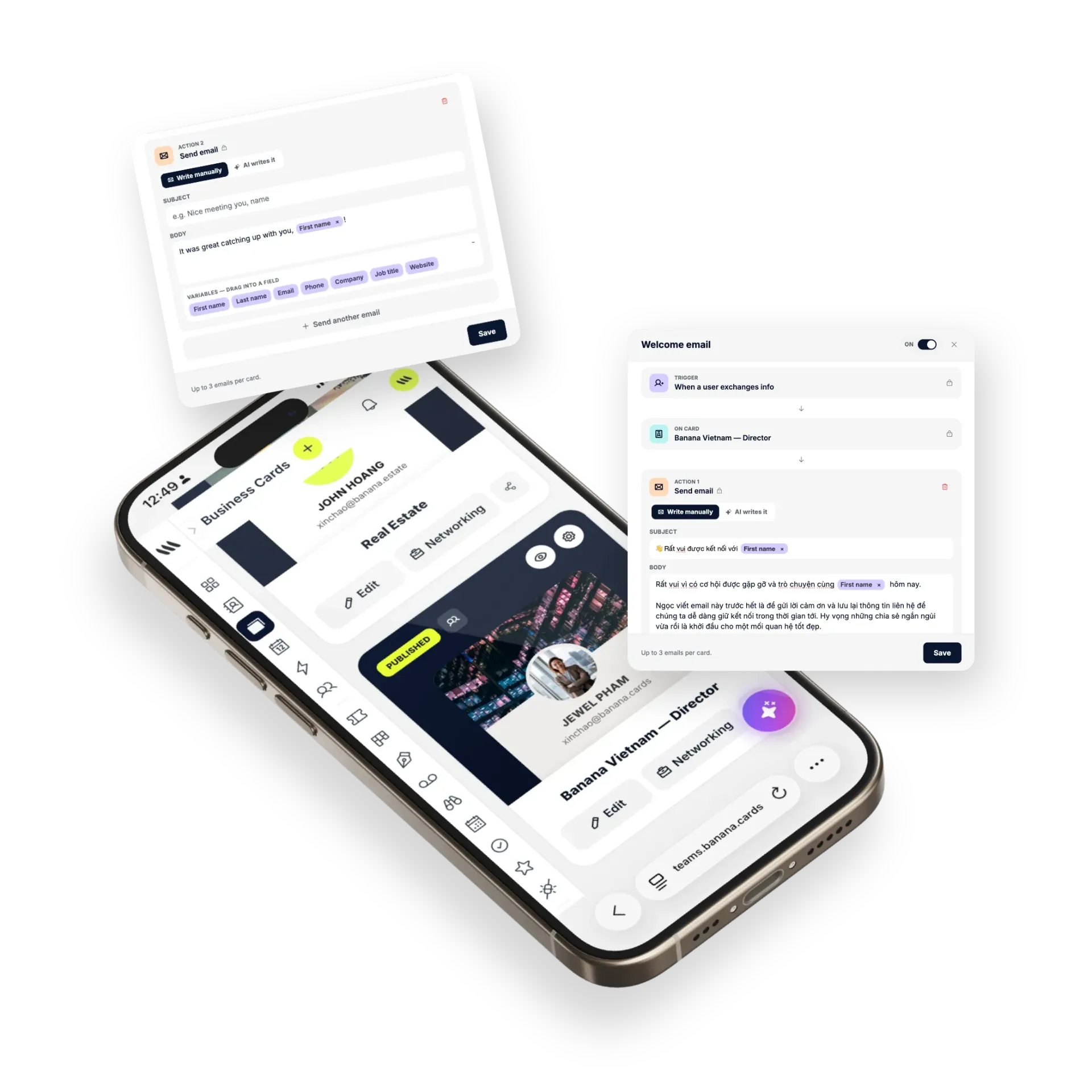
Design
Looks like you wrote it, because you did.
Compose a branded welcome message with your photo, links and CTAs. Banana keeps it short and human — no template smell.
- Rich-text composer
- Merge tags for personalization
- Embedded links & CTAs
- Multi-language support
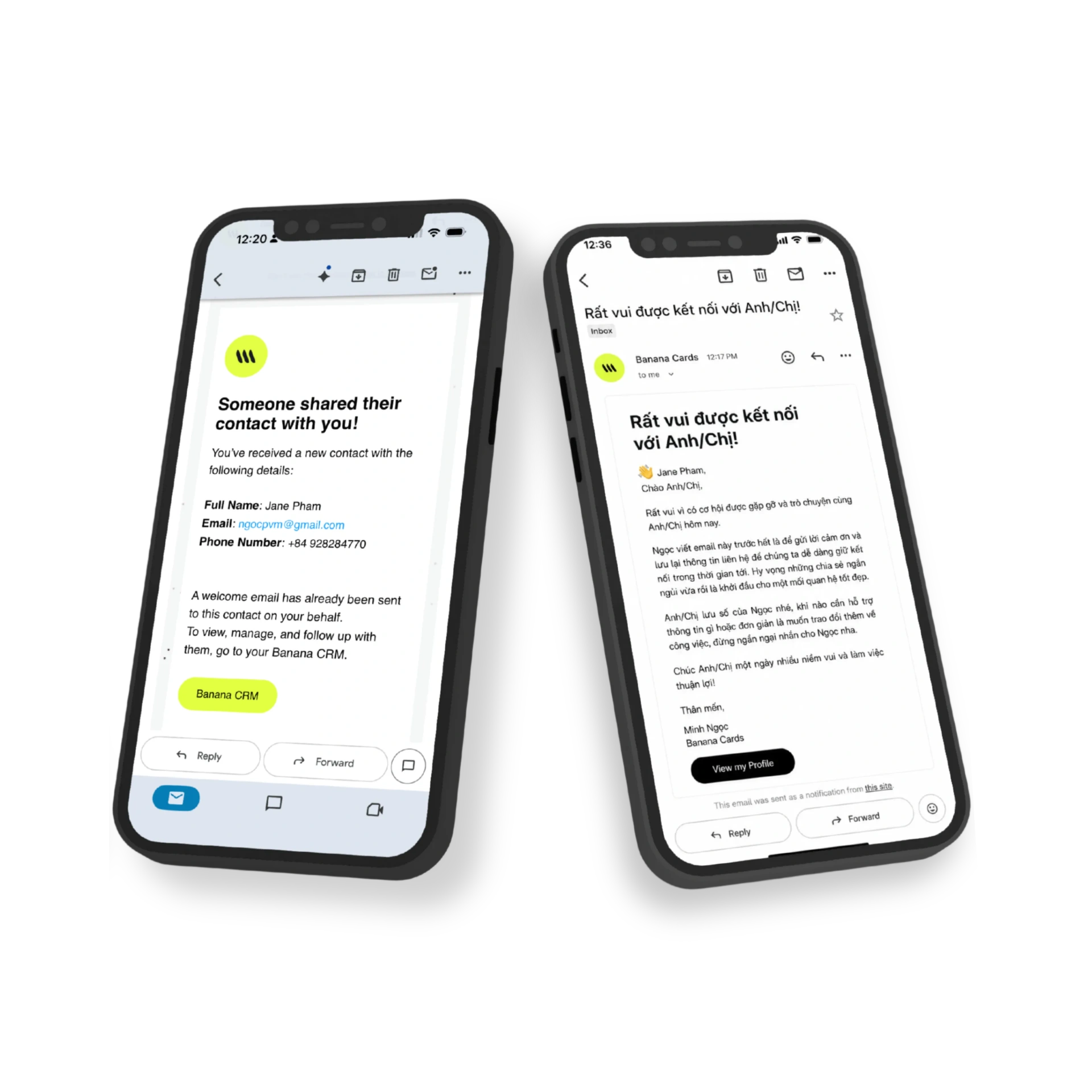
Trust
Inbox-grade deliverability.
Send from your own domain with proper authentication. Banana handles the deliverability plumbing so your follow-ups arrive.
- SPF, DKIM and DMARC
- Bounce & complaint handling
- Per-card sender identity
- Send logs per contact
How it works
Live in minutes, not months.
- Step 1
Write your message
Compose once — use merge tags for names.
- Step 2
Connect your domain
Verify SPF & DKIM in a few clicks.
- Step 3
Someone connects
Exchange form submission triggers send.
- Step 4
They get it instantly
Beautiful, personal, in their inbox.
Capabilities
Built to go the distance.
Every plan ships with the essentials. Upgrade only for team-scale, advanced security, and AI usage at volume.
Compare plans- Rich-text composer
- Merge tags & personalization
- Send from your domain
- SPF / DKIM / DMARC
- Per-card welcome message
- Multi-language
- Send logs
- Triggered by exchange form
FAQ
Questions, answered.
What is a Welcome Email and when does it send?
It's an automated email Banana sends to anyone who exchanges contact details with you (via Lead Exchange, a card tap that ends in a contact, or a Wallet save). It fires within seconds of the encounter, while you're still in the conversation — so the prospect already has a personal note from you by the time they look at their inbox.
Does it send from my own email address?
Yes — once you verify your sending domain in Banana, welcome emails go out from your address (e.g. you@yourcompany.com), land in the primary inbox (not promotions), and replies come back to you directly. Without a verified domain Banana falls back to a deliverable shared sender so your emails still reach the inbox.
Can I personalize the email per recipient?
Yes — use variables like {{first_name}}, {{company}}, {{event}} and {{your_name}} to make every email feel handwritten. Banana fills them in from the captured contact and the card that was tapped. AI Brain can even draft the first version in your tone of voice.
Can I have different welcome emails for different cards or events?
Yes — each card carries its own welcome email. A sales card might send a pitch + booking link, a conference card might send a 'great meeting you at [event]' note, and a partnership card might send a brief intro deck — all from the same Banana account.
What can I include in the welcome email?
Rich text, your logo, images, a vCard download, a Wallet pass install button, a 'Book a meeting' button, links to case studies or product pages, an unsubscribe footer, and a tracked CTA so you see who clicks. Keep it short — 3 sentences and one CTA tends to outperform anything longer.
Can I disable it for specific cards or temporarily?
Yes — toggle Welcome Emails on/off per card in seconds. Turn them off when you're sharing your card internally, then back on for the next event.
First contact, first reply.
Welcome every new connection automatically — and start the relationship right.