
Share who you are, anywhere.
Exchange contact details via NFC, QR, links, Wallet passes and email signatures. One profile, infinite ways to share — across every device.
- 9
- share channels
- 0
- app installs
- 100%
- cross-platform
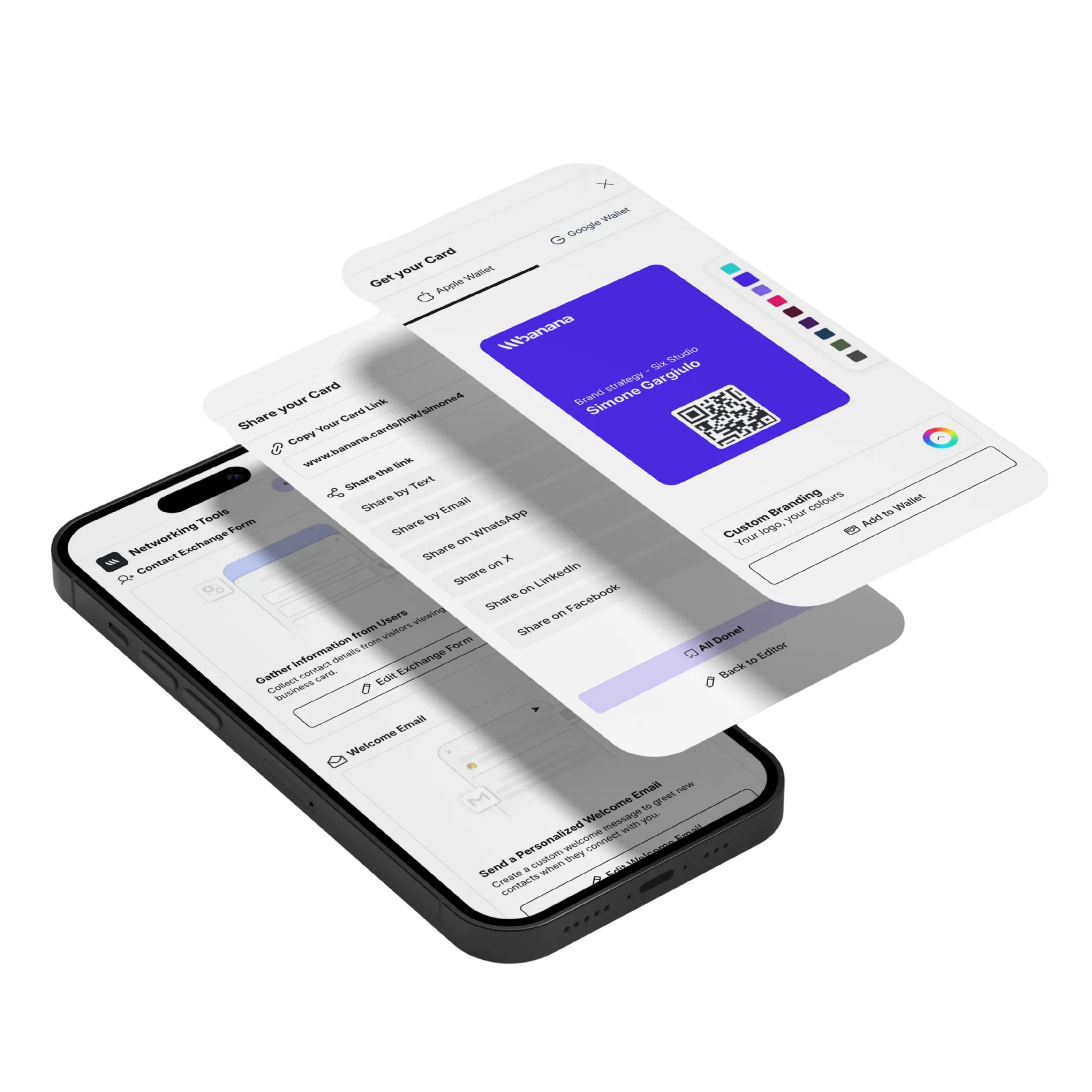
Dynamic QR codes
Update the destination anytime without reprinting. Track scans, devices and locations.
Short links
Custom short URLs with click analytics — perfect for bio links and campaigns.
Email signature
Drop your card into every email with a one-line signature builder.
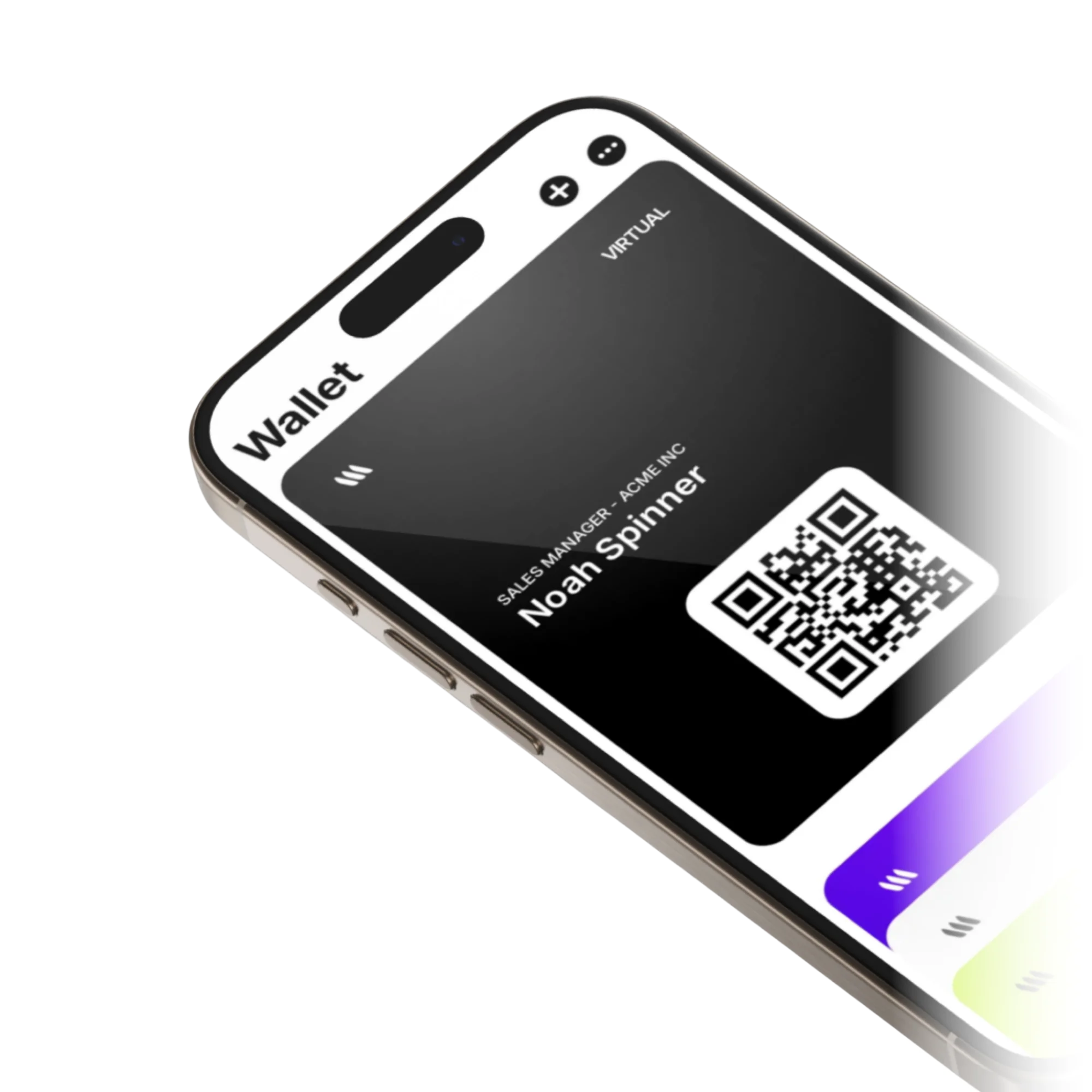
Wallet
Add to Apple & Google Wallet in one tap.
Recipients save your card to their phone wallet for instant re-access — no app, no scrolling through messages.
- Apple Wallet pass with auto-updates
- Google Wallet pass
- Live updates when you change your profile
- Lock screen accessibility
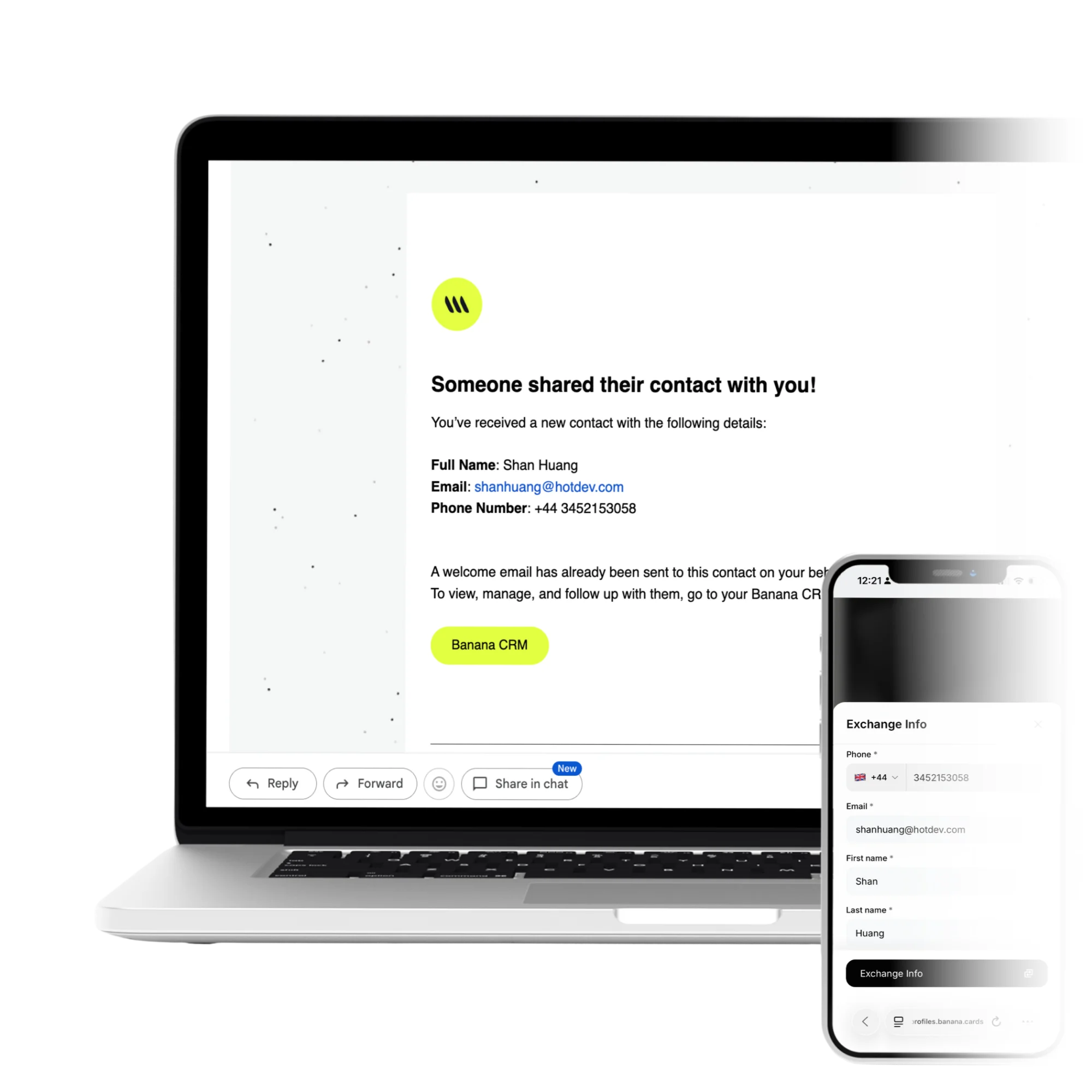
Events
Captured leads, instantly organized.
Use event-specific QR codes to capture leads at expos, conferences and meetups. Every scan flows into your CRM with the event tagged automatically.
- Event-scoped QR codes
- Auto-tagging in CRM
- Custom lead-capture form per event
- CSV & Zapier export
How it works
Live in minutes, not months.
- Step 1
Generate a share
NFC tap, QR, link, signature or Wallet.
- Step 2
Recipient receives
Profile opens in their browser instantly.
- Step 3
They tap save
Card lands in their contacts or wallet.
- Step 4
Stays in sync
Your updates push to their saved copy.
Capabilities
Built to go the distance.
Every plan ships with the essentials. Upgrade only for team-scale, advanced security, and AI usage at volume.
Compare plans- Unlimited QR codes
- Custom branded short links
- Apple & Google Wallet
- Email signature builder
- Event-scoped tracking
- Per-channel analytics
- Geo & device insights
- UTM passthrough
FAQ
Questions, answered.
How many ways can I share my Banana card?
At least seven: NFC tap (physical card to phone), dynamic QR code (printed, screenshot, on a slide), short shareable link, Apple/Google Wallet pass, email signature block, AirDrop / native share sheet, and direct messaging into WhatsApp, iMessage, LinkedIn or SMS. Every channel opens the same live profile.
Can I track who viewed my card and where they came from?
Yes — every view, tap and scan is logged with timestamp, device, browser, approximate location and traffic source (QR vs link vs Wallet vs signature). Analytics breaks views down by card, by team member and by campaign so you can see what's actually working.
Can I change my card without reprinting or reshipping?
Yes — every share method points to your live profile. Update your title, photo, links or call-to-action once and every QR, NFC, Wallet pass and signature reflects it immediately. Dynamic QR codes never expire.
Can recipients save my contact without an app or signup?
Yes — your card includes a one-tap 'Save contact' button that adds a vCard directly to their phone's address book, and an 'Add to Apple/Google Wallet' button so your card lives in their wallet forever.
Can I scan someone else's paper business card into Banana?
Yes — the AI card scanner in the mobile app captures a paper card from a photo, extracts the name, company, title, email, phone, website and address, and creates a clean, deduplicated contact in your CRM.
Does sharing work without the recipient having internet?
An NFC tap or QR scan needs a brief internet connection to load the profile, but once they save your contact to their address book or your card to Wallet, everything (phone, email, vCard data) remains accessible offline.
Networking tools
Every share channel, covered.
Six purpose-built tools that turn every tap into a real conversation. Use one, use them all.
Contact Exchange Form
Turn every card view into a captured lead.
Learn moreWelcome Email
Auto-send a branded welcome the moment someone connects.
Learn moreApple & Google Wallet
Save your card to any phone wallet, always in sync.
Learn morePIN Protection
Lock your card with a 4-digit PIN for private sharing.
Learn moreDynamic QR Code
Branded, trackable, re-routable QR codes per card.
Learn moreEmail Signature
Generate a polished signature for Gmail, Outlook & Mail.
Learn moreShare once. Stay top of mind.
Every channel, every device — connected to one profile.